Hi all I have a basic NURBS modelling question, I've mostly used polygon modelling and a few times have used polys where NURBS would have been more appropriate - so it's time to finally learn NURBS.
The same problems are plaguing me however. The tutorials I've read deal mostly with modelling figures, not inorganic objects. Im trying to model a mobile phone.
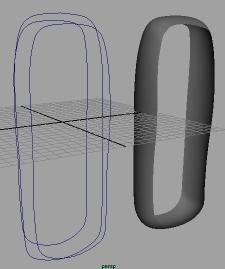
I understand the basics - lofts, birails etc. In this image, I probably should have the lofts going vertically, but still the same problem remains, how do you make a nice smooth end to the lofts? a 'cap' isnt good enough....
http://mta3d.50megs.com/nurbs.jpg (copy/paste URL, sorry)
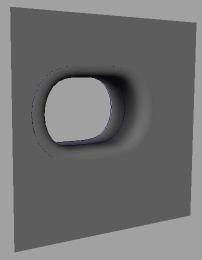
With this next image, i trimmed a surface and then made the loft shape to fit, and global stitched - but this seemed to do nothing! how can i make the two nurbs objects join together seamlessly? I got them fairly close but it's not good enough for close up shot...
http://mta3d.50megs.com/nurbs2.jpg (copy/paste URL, sorry)
Happy to read but dont know what im looking for - any help greatly appreciated!