First Character In Maya (wip)

Well i thought I'd add my progress of my 3D Tafe (college for all of u guys who aren't aussies) assignment I have to do.

Firstly we had to create a character that was humanoid, had no hair, could talk and could walk.

So stupidly I looked for a cool figure I thought I'd like to do from my miniature collection and the Growlers from Vor stood right out at me.

Unfortunately the muscles on these guys have become quite problematic, so in hindsight I should have done something far simpler.

But the final result should be worth it.

So without further ranting here follows my work (which is still in progress)...

I started by taking side, front and top photographs to use as reference for the Growler.
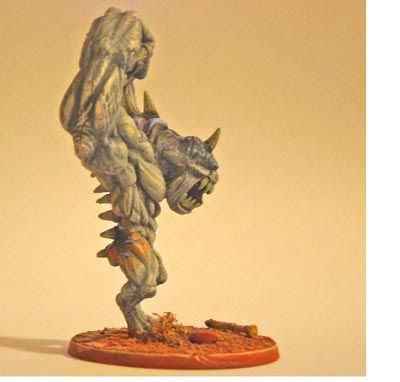
400) {this.resized=true; this.width=400; this.alt='Click here to open new window';}" onmouseover="if(this.resized) this.style.cursor='hand';" onclick="if(this.resized) {window.open('http://img.photobucket.com/albums/v292/pancreasboy/misc/side.jpg');}" />
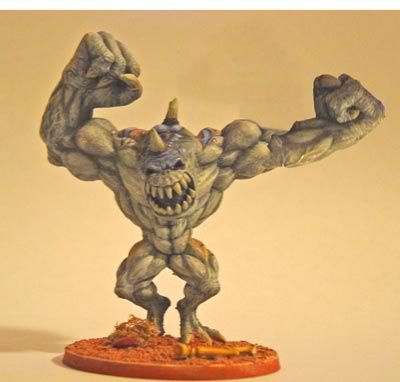
400) {this.resized=true; this.width=400; this.alt='Click here to open new window';}" onmouseover="if(this.resized) this.style.cursor='hand';" onclick="if(this.resized) {window.open('http://img.photobucket.com/albums/v292/pancreasboy/misc/front.jpg');}" />
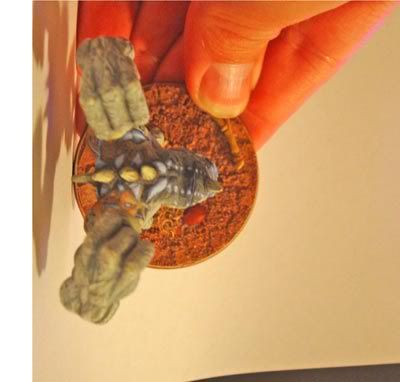
400) {this.resized=true; this.width=400; this.alt='Click here to open new window';}" onmouseover="if(this.resized) this.style.cursor='hand';" onclick="if(this.resized) {window.open('http://img.photobucket.com/albums/v292/pancreasboy/misc/top.jpg');}" />

Then I created rough muscles with lofted curves.

400) {this.resized=true; this.width=400; this.alt='Click here to open new window';}" onmouseover="if(this.resized) this.style.cursor='hand';" onclick="if(this.resized) {window.open('http://img.photobucket.com/albums/v292/pancreasboy/misc/3d_001.jpg');}" />
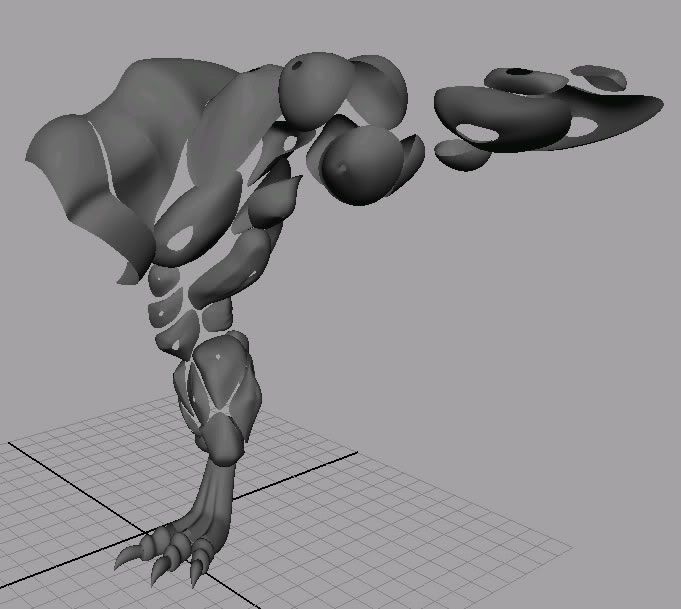
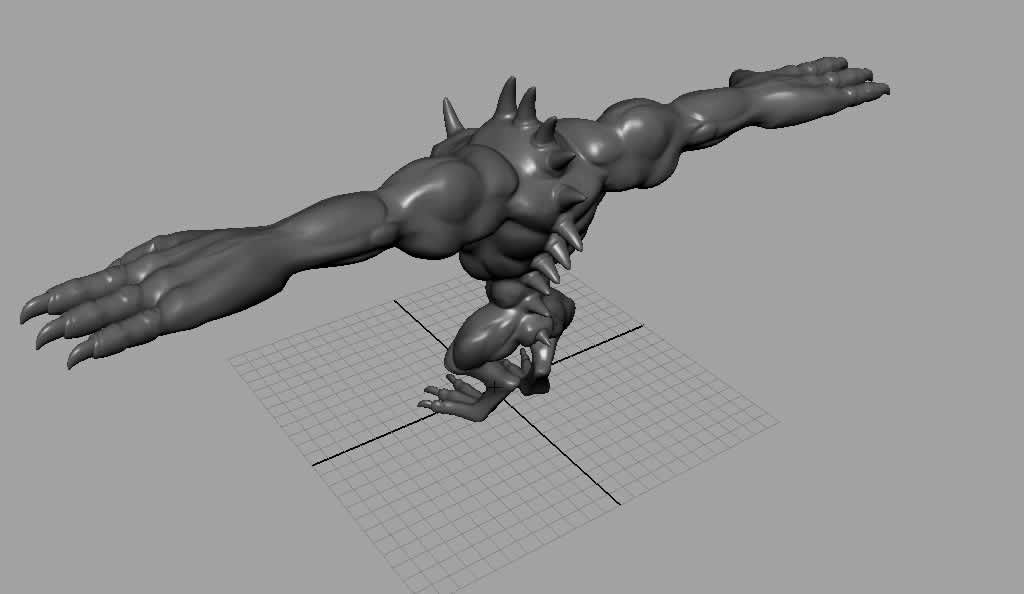
So after converting the NURBS to polygons I joined all the muscles up and started on the details of the head. Ignore everything else (since the arms and hands will be re-done, I call them boob muscles at the moment on the upper arms LOL).

400) {this.resized=true; this.width=400; this.alt='Click here to open new window';}" onmouseover="if(this.resized) this.style.cursor='hand';" onclick="if(this.resized) {window.open('http://img.photobucket.com/albums/v292/pancreasboy/misc/growler.jpg');}" />
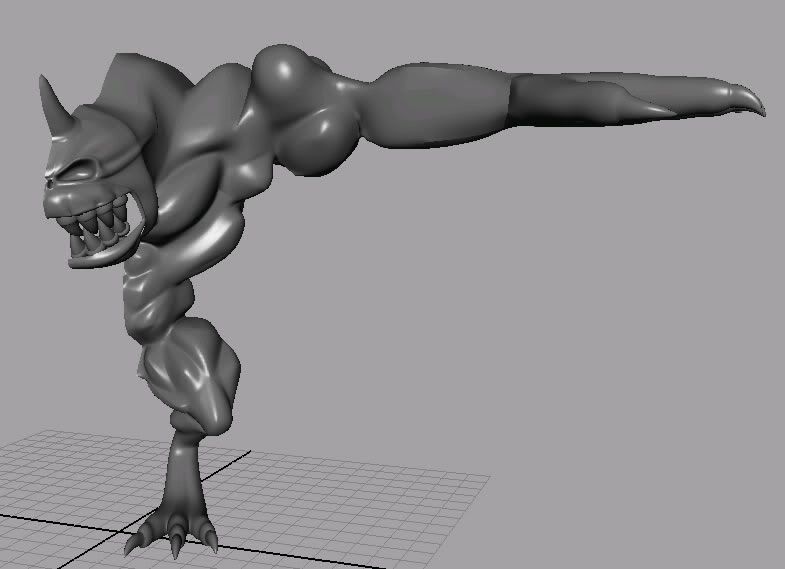
So that's where I'm up to atm, I'm still working on the head (u can see a gap in the lower jaw), then I'll move onto the rest of the body.

That looks pretty cool pancreasboy, I rekon it would look really great when it's finished.And It's good to have another Aussie on the board

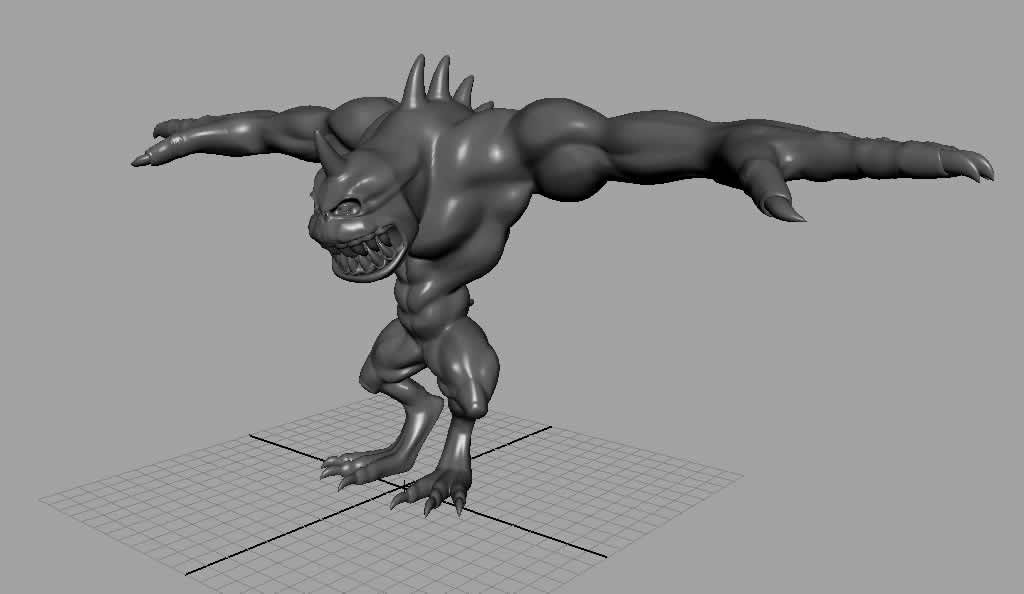
Well here's the model pretty much finished, now onto setup and maybe later on texturing it

400) {this.resized=true; this.width=400; this.alt='Click here to open new window';}" onmouseover="if(this.resized) this.style.cursor='hand';" onclick="if(this.resized) {window.open('http://img.photobucket.com/albums/v292/pancreasboy/misc/growler_final1.jpg');}" />

400) {this.resized=true; this.width=400; this.alt='Click here to open new window';}" onmouseover="if(this.resized) this.style.cursor='hand';" onclick="if(this.resized) {window.open('http://img.photobucket.com/albums/v292/pancreasboy/misc/growler_final2.jpg');}" />

Great Model in the fact that it was done via patch modeling wich demonstrates a great command of modeling in general. Could use another pass for better creasing defination in some areas to really make it pop.

ok so i stuffed up trying to do the important things first (ie Model then Skeleton/Binding Setup then Texture) just in case I ran out of time (the order should be Model then Texture then Skeleton/Binding Setup)

So I've actually wasted some time

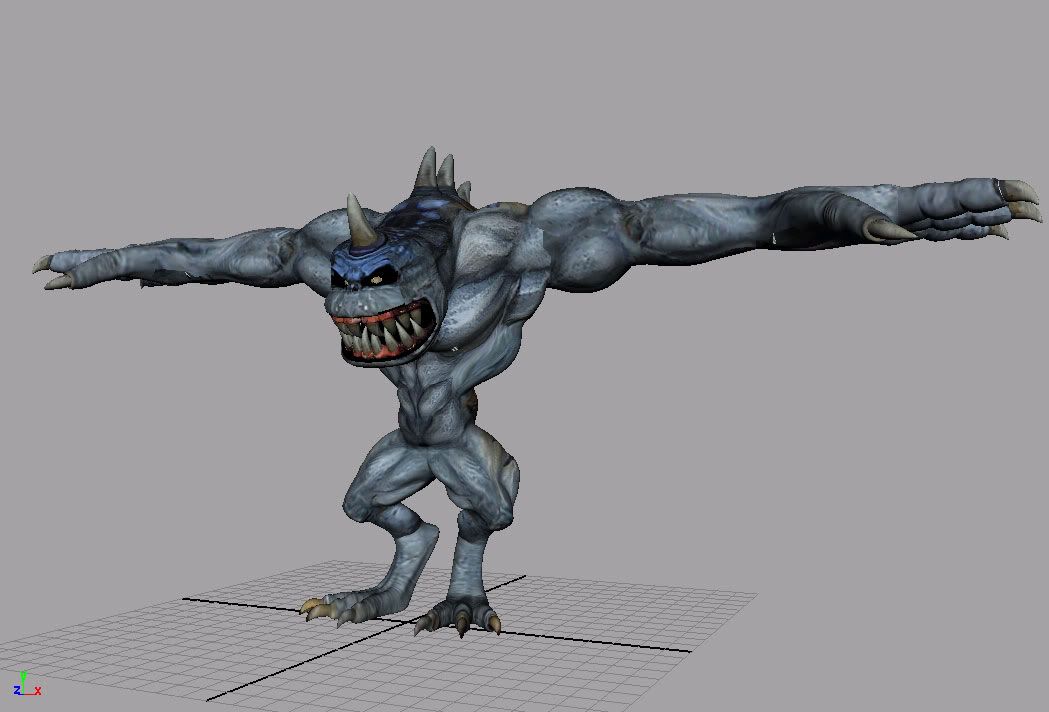
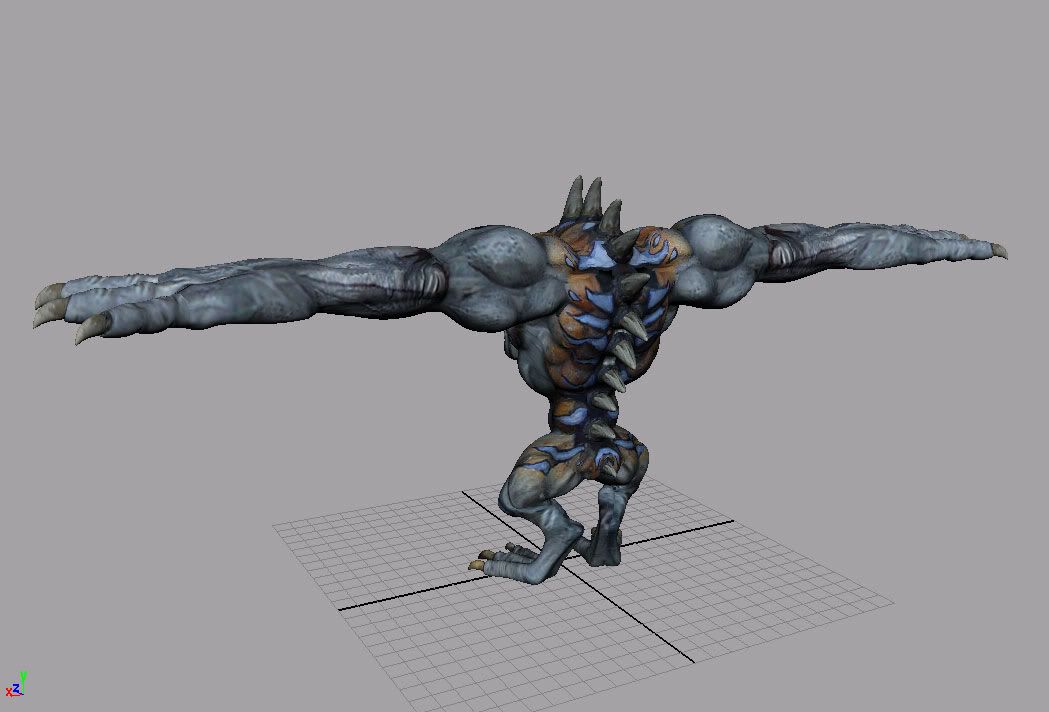
But here is the dude all textured up and looking mean (I had to rush the textures to get this done on time, so they're not very high res).

400) {this.resized=true; this.width=400; this.alt='Click here to open new window';}" onmouseover="if(this.resized) this.style.cursor='hand';" onclick="if(this.resized) {window.open('http://img.photobucket.com/albums/v292/pancreasboy/misc/growler_textured_front.jpg');}" />

400) {this.resized=true; this.width=400; this.alt='Click here to open new window';}" onmouseover="if(this.resized) this.style.cursor='hand';" onclick="if(this.resized) {window.open('http://img.photobucket.com/albums/v292/pancreasboy/misc/growler_textured_back.jpg');}" />

Next will be re-setting up the binding to the skeleton so that I can put him in different poses or animate him.

Stay tuned...

PS he was modelled in NURBS then polys STZ, and yeah i've learned heaps off this character, ie where to add mor detail next time.

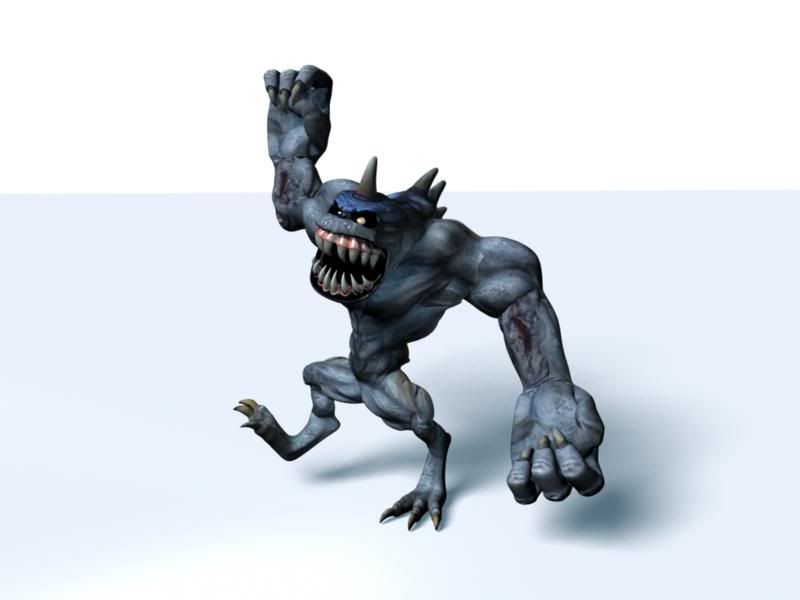
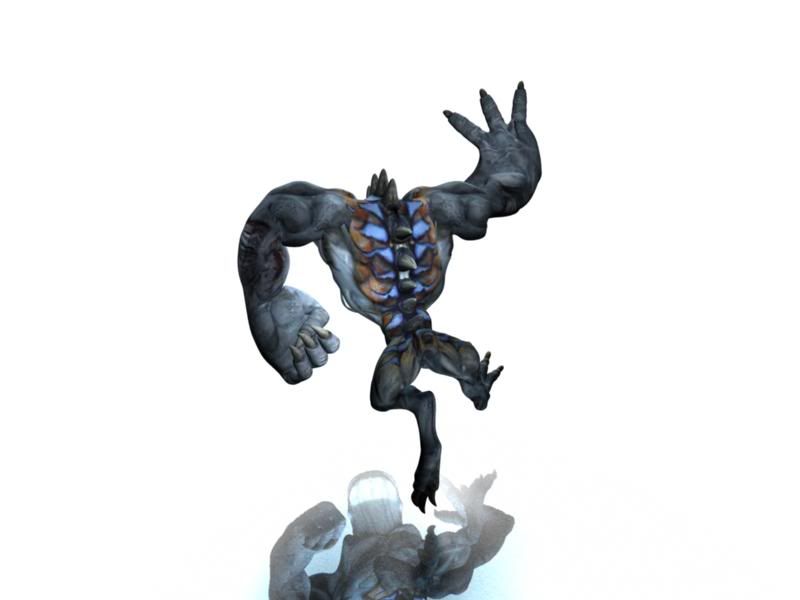
Well here he is finally done.

400) {this.resized=true; this.width=400; this.alt='Click here to open new window';}" onmouseover="if(this.resized) this.style.cursor='hand';" onclick="if(this.resized) {window.open('http://img.photobucket.com/albums/v292/pancreasboy/misc/final_001_cameraShape1_tmp.jpg');}" />

This is a pretty dorky pose, so if i get time before the due date, i'll re-do it (but he does half look like he's celebrating and half about to smash you're face in, which is how i kinda feel towards Maya )

So one more post coming with a better pose and then i can relax!!!

(PS is there a way i can render out the ground only showing the shadow and not the blue that cuts off in the distance?)

QUOTE(pancreasboy @ 01/15/06, 10:59 AM) [snapback]224937[/snapback]
but he does half look like he's celebrating and half about to smash you're face in, which is how i kinda feel towards Maya

I know that feeling!

About the shadow rendering. Apply a lambert shader and check out the Matte Opacity options. I think one of the three opacity modes will giva you a shadow pass.

And hey, good work on your character, he looks very good, modelling, texturing and rigging are grade A. However you could tweak the shading a bit more. Besides that, a "Thumbs Up" from me...

Use Background shader.

This will catch the shadow only if applied to your Floor in the Alpha channel.

thanx STZ that worked a treat!!!

well this will be my last report,

since the guy is done and due this monday

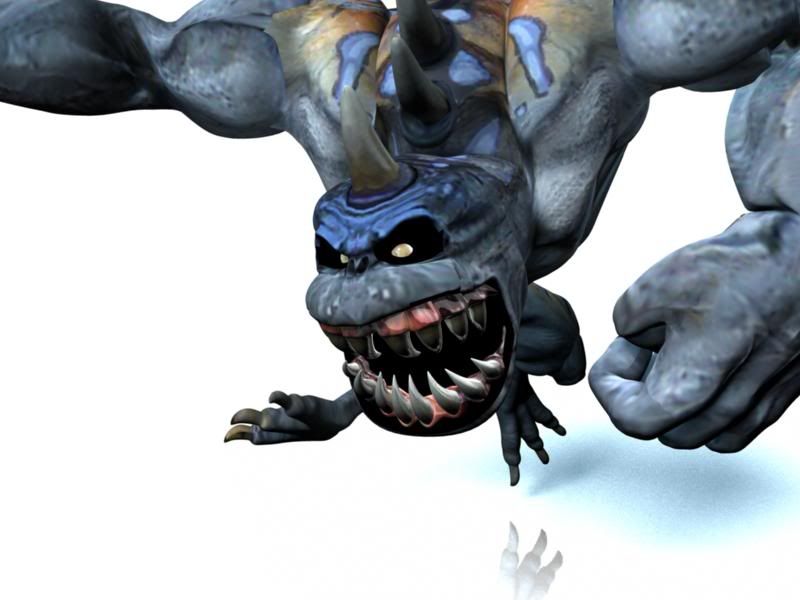
so here's a few more views and then i send him on his merry way

thanks for you're comments

(PS how do you get rid of the reflections on the "Use Background" shader, yet keep the shadow cast as blue? When i reduced the reflection amount in the "Use Background" shader, the shadows cast come out grey)

Well in the end I recieved 83% for the whole exercise.

The things that my teacher commented on were things I already knew weren't working or that I had run out of time on.

So in the end I was quite happy with the result.

Thanks for all you're help and comments!