I have seriously messed up somewhere on my car model with the uv mapping. I uv mapped it following this tutorial
http://freelance-animation.com/newwebpage/.../uvmapping.html
I had it all laid out and mapped right but when i applied a file texture for the colour of my blin shader this happened.
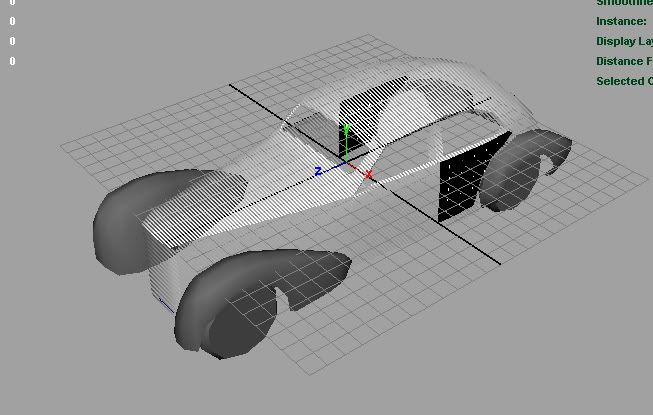
As you can see the texture only appeared on the doors where it was repeated over a few time. And the rest of the car appeared as if there was no file loaded. I tried loading various different uv map file textures such as bump maps and transparency maps and they showed up fine when rendered.
Any ideas to get this sorted out i might have to scrap the model and start again 
Well from my understanding, there will be no need to Remodel it, you just might have to Re UV map it and thats all. But only UV map the area with no texture, Hope this helps and good luck.
Post a screenshot of your UVs. If they are ok then you have to link the texture to your uv set using uv linker.
QUOTE(failure @ 07/10/06, 09:08 PM) [snapback]242067[/snapback]
Post a screenshot of your UVs. If they are ok then you have to link the texture to your uv set using uv linker.
Wow thats cool never knew about that, thanks for the tip, i always used to Remap when i had this probem. thanks.
Thanks for your help. I tried UV mapping it again but that didn
Why remodeling when there's a problem with UVs only? Probably, when you did planar mapping (as described in tutorial), UVs went into UV set other than default "map1". You only need to relink the texture to this newly created UV set or do a planar map operation again specifying target set to be "map1". Check your planar mapping settings.